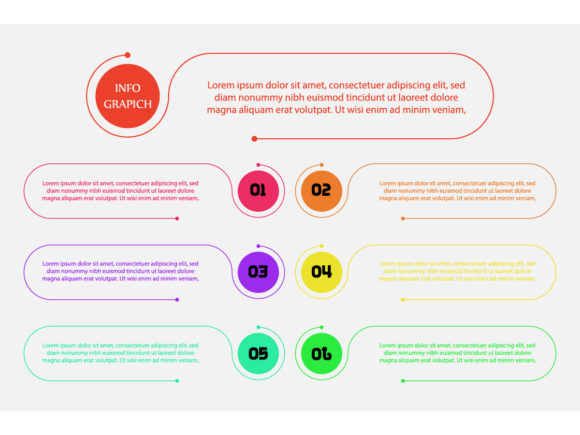
Business Process Gradient: Visual Flow for Modern Design
When you're building a presentation, designing a report, or crafting marketing materials, the way you present information matters just as much as the information itself. A wall of text or a cluttered slide loses people fast. This is where the Business Process Gradient infographic template steps in—it's not just a design asset, but a visual language for explaining workflows, timelines, and step-by-step processes with clarity and style.
At its core, Business Process Gradient is a collection of editable vector infographic templates built around a gradient-based visual style. Think soft color transitions, flowing shapes, and clean iconography that guides the viewer's eye from one point to the next. The "gradient" in the name isn't decorative fluff—it's functional. Gradients naturally create movement and depth, which helps separate stages in a process, highlight priority information, and make dense data feel approachable. The overall personality is modern, professional, and polished without being sterile. It strikes that balance between corporate credibility and creative energy that so many brands struggle to find.
What Makes the Visual Style Work
The templates use a combination of geometric shapes, rounded connectors, and subtle color shifts to build visual hierarchy. Each step in a process feels distinct but connected—like chapters in a story rather than disconnected bullet points. The gradient palettes typically move from deeper tones to lighter ones (or vice versa), which creates a natural sense of progression. This isn't accidental. Good infographic design leverages color psychology and spatial relationships to make information digestible, and Business Process Gradient does this well.
The included vector files—AI 10 and EPS 10 formats—mean you can scale these templates to any size without losing sharpness. Whether you're designing a full-page print piece or a small social media graphic, the lines stay crisp. The fonts are outlined in the files, which eliminates compatibility headaches when sharing files across teams or with print vendors. For designers who need flexibility, this matters more than most people realize.
Where This Template Shines
The real strength of Business Process Gradient lies in its versatility across project types. Here's where I've seen it work particularly well:
- Business presentations — Walking a client or stakeholder through a multi-stage project plan, onboarding sequence, or sales funnel becomes significantly easier when each step has its own visual anchor. The gradient style keeps things engaging without distracting from the content.
- Marketing and promotional materials — If you're explaining how a service works, the customer journey, or a product's features in a brochure or landing page, these templates give you a structured yet visually appealing framework.
- Educational and training content — General learning materials, workshop handouts, and e-learning modules benefit from process-oriented visuals. The step-by-step layout helps learners follow along without feeling overwhelmed.
- Social media graphics — Platforms like Instagram and LinkedIn reward visual content. A well-designed process infographic can outperform a plain text post every time. The gradient style photographs well and stands out in a crowded feed.
- Pitch decks and investor presentations — First impressions count. Using a cohesive, professional template signals that you've thought through your message, which builds trust before you've even spoken a word.
Entrepreneurs and small business owners, in particular, get a lot of mileage from templates like these. You don't need a design degree to drop in your content and have something that looks polished. The structure is already built—you just fill in the details.
How Visual Process Design Influences Perception
There's a reason infographics are everywhere. Research consistently shows that people process visual information faster and retain it longer than text alone. But beyond raw comprehension, the design quality of your visuals shapes how people perceive your brand.
A clean, well-organized process graphic communicates competence. It tells your audience that you value their time and attention. Conversely, a sloppy or generic-looking diagram can undermine even the best content. Business Process Gradient helps maintain that professionalism because the templates are designed with visual consistency in mind—matching color schemes, aligned spacing, uniform icon styles. These details might seem small, but they compound. Over time, consistent visual quality builds brand recognition and trust.
The gradient style also adds a layer of sophistication that flat-color templates sometimes lack. It feels contemporary without being trendy in a way that will date quickly. For brands positioning themselves as innovative or forward-thinking—tech companies, consultancies, creative agencies—this aesthetic fits naturally.
Practical Guidance for Using These Templates
Before you download and start editing, consider a few things to get the most out of the Business Process Gradient package:
- Evaluate your project fit. Not every project needs a gradient-heavy infographic. If your brand guidelines lean minimalist or your audience expects a more traditional aesthetic, test a single template before committing to a full redesign. The style should serve the message, not compete with it.
- Test font pairings. Since the fonts are outlined in the provided files, you'll want to choose your own typefaces when customizing. Pair a clean sans serif font for body text with a complementary display font for headings. Avoid mixing more than two or three typefaces in one design—consistency is key to readability.
- Check readability at actual size. What looks great on a 27-inch monitor might be illegible on a phone screen or a printed handout. Always view your design at the size your audience will actually encounter it. Shrink it down, print a test copy, send it to your phone. Small text inside infographic elements is a common pitfall.
- Understand the licensing. These are commercial font and template assets, so review the license terms before using them in client work, merchandise, or products for sale. Most vector template licenses allow broad commercial use, but it's worth confirming specifics for your situation.
- Customize intentionally. The templates are starting points, not finished products. Adjust the gradient colors to match your brand palette. Swap out generic icons for ones that reflect your industry. Add your logo. The goal is to make the design feel like it belongs to your brand, not like it was pulled from a template library.
Building Better Visual Communication
Good design isn't about decoration—it's about communication. Business Process Gradient gives you a structured, visually compelling way to explain things that are otherwise hard to articulate in words alone. Whether you're mapping out a client onboarding flow, illustrating a supply chain, or breaking down a marketing strategy for your team, having a reliable infographic template in your toolkit saves time and elevates the final result.
For designers building brand identity systems, these templates offer a reusable visual element that can be adapted across touchpoints—presentations, reports, web design, packaging inserts, and social media graphics. That kind of consistency strengthens how audiences experience and remember a brand.
If you work with clients, having a library of editable vector templates means faster turnaround and fewer revision cycles. You spend less time building layouts from scratch and more time on the strategic thinking that actually moves projects forward. For content creators, bloggers, and publishers, it's a practical shortcut to better-looking output without outsourcing every visual to a freelancer.
The bottom line: Business Process Gradient is a design asset built for people who need to explain complex ideas simply and beautifully. It won't solve every design challenge, but for process-oriented visual communication, it's a solid addition to any creative toolkit.